Key takeaways
- A Daikin controller is either the wireless handset that comes with its wall units or an optional wired controller such as the Madoka BRC1H52. Which you have decides which manual applies.
- The Madoka controller has three buttons: ON/OFF, ENTER/ACTIVATE/SET and two CYCLE/ADJUST buttons. It sets operation mode, setpoint, airflow direction, fan speed and the date and time. Advanced settings such as setback and schedules are in the Madoka Assistant app.
- The setpoint applies only to Cooling, Heating and Auto. In Dry the temperature and fan speed are controlled automatically.
- The Madoka warning icon means “an error occurred, or an indoor unit component needs to be maintained”: report it to your dealer. Daikin says reading and resetting error codes is for a licensed installer or dealer.
- We print no error code table. The full list is in an engineer’s service manual.
This page explains Daikin’s controllers from Daikin’s own manuals. For daily use of the wireless handset on a wall unit, see the Daikin air conditioner user guide. For faults and servicing in general, see air conditioning repair and servicing. We compute no figure here, because a controller reference has no unit cost and no source we read gives the saving from a setting.
Which Daikin controller do I have?
- The wireless handset. Daikin’s FTXF-F operation manual (3P511999-9S, 2024.09, naming the 60 and 71 sizes) says: “The indoor unit is delivered with the wireless remote control as the user interface.” It adds that if another user interface is connected, you should “refer to the operation manual of the connected user interface”.
- The Madoka wired controller. The manual we read is for the BRC1H52W, BRC1H52K and BRC1H52S (4P596264-1D, 2022.02). It says: “This controller is an option and cannot be used standalone.” The text we read does not list which indoor units it works with; it mentions heat reclaim ventilation units and marks two icons “Sky Air only”. Your installer’s documents decide.
- The app. The FTXF-F manual has a wireless LAN section for the ONECTA app, with which you can “change the thermostat, set temperature schedules, review your energy consumption”. The Madoka controller uses Bluetooth with the Madoka Assistant app.
Wireless handset: modes and settings
Daikin’s FTXF-F manual lists five modes: Automatic, Drying, Heating, Cooling and Fan only. You set the temperature in Automatic, Heating and Cooling, but not in Drying or Fan only. The handset also has airflow rate and direction, Comfort airflow, Powerful (20 minutes), Econo (limits maximum power consumption) and OFF and ON timers. The details, the limits and the beeps are on the user guide page. Remote range is up to 7 m.
Madoka wired controller: buttons and menus
| Control | What the manual says it does |
|---|---|
| ON/OFF | “When OFF, press to turn ON the system. When ON, press to turn OFF the system.” |
| ENTER/ACTIVATE/SET | From the home screen, opens the main menu; from the main menu, enters a submenu; in a submenu, activates a mode or confirms a setting |
| CYCLE/ADJUST (left and right) | Cycles through menus; adjusts a setting (default: left decreases, right increases) |
The home screen is “standard” or “detailed”, depending on configuration. The standard screen shows the active operation mode, messages and, in Cooling, Heating or Auto, the setpoint. The detailed screen shows status icons. The screen goes blank after a period of inactivity; press any button to wake it. In the main menu you can set the mode, airflow direction and fan speed, and the date and time; the manual says “Depending on the type of indoor unit you are operating, more or less menus may be available.”
To set the date and time, go to the date and time menu, press ENTER to make the fields editable, set each with the adjust buttons and confirm each field. A “Time not set” icon shows when the controller’s time has not been set.
Madoka operation modes
| Mode | What Daikin says |
|---|---|
| Cooling | Cooling “as required by the setpoint” |
| Heating | Heating “as required by the setpoint” |
| Fan Only | “air circulates without heating or cooling” |
| Dry | “the air humidity will be lowered with a minimal temperature decrease”; temperature and fan speed are controlled automatically and “cannot be controlled by the controller”; “Dry operation will not function if the room temperature is too low” |
| Ventilation | The space is ventilated, “but not cooled or heated” |
| Air Clean | The optional air cleaning unit operates |
| Ventilation + Air Clean | A combination of the two |
| Auto | Switches between heating and cooling as the setpoint requires |
“Depending on the indoor unit, more or less operation modes are available”, and ventilation settings can only be made for heat reclaim ventilation units. The setpoint is the target temperature for Cooling, Heating and Auto only. See dry mode for the idea.
Madoka status icons
The manual lists these, described in its words: system operation on or off; Bluetooth (communicating with a mobile device for the Madoka Assistant app); Lock (a function or mode “is locked and therefore cannot be used or selected”); Centralised control; Defrost or Hot start; Schedule or Timer; Time not set; Self-cleaning filter operation; Inspection; Information (a message to read on the information screen); Warning; Power consumption limit; Rotation; Setback; and Ventilation. Most are tied to settings made in the app. We describe icons in words because the icon shapes are images in the manual.
A “Time to clean filter” screen appears when the filter needs cleaning: clean it, then press the button to remove the indication.
What to do with a warning or error
- Daikin’s Madoka manual says: “When the system is in error, consult your dealer”, and that when “a system components needs maintenance or service, consult your dealer.” The warning icon and an error screen are how the controller shows it.
- For a wireless handset, Daikin’s E-series guide (FTXF20 to 42E5V1B) says an error code can be read by holding a button for about 5 seconds, and that “This should be done by a licensed installer or your local dealer” for resetting. The FTXF-F manual says: “Notify your installer and report the error code.”
- Report the code with your unit’s full model name and installation date. Do not reset a code yourself. Other unusual events, such as burning smells, mean stopping the unit: see air conditioner not cooling for the checks that are yours.
- If your Madoka is configured in “Alarm only” or “Supervisor” mode, it acts only as a refrigerant leak detection alarm, and none of the normal controls work. On an alarm, Daikin says to hold the button for 3 seconds to stop it and consult your dealer.
For other symbol guides, see air conditioning symbols explained and the Daikin range.
Frequently asked questions
How do I use a Daikin Madoka controller?
Press ON/OFF to start. Press ENTER from the home screen for the main menu, use the cycle buttons to pick a menu, ENTER to open it, the adjust buttons to change a value and ENTER to confirm. On the home screen the adjust buttons change the setpoint in Cooling, Heating and Auto.
What modes does a Daikin controller have?
The wireless handset in the FTXF-F manual has Automatic, Drying, Heating, Cooling and Fan only. The Madoka lists Cooling, Heating, Fan Only, Dry, Ventilation, Air Clean, Ventilation plus Air Clean and Auto, depending on the indoor unit.
What does the warning icon on a Daikin controller mean?
Daikin says it means “an error occurred, or an indoor unit component needs to be maintained”. Consult your dealer.
What is Dry mode on a Daikin controller?
Daikin says it lowers humidity “with a minimal temperature decrease”, sets temperature and fan speed automatically, and will not function if the room temperature is too low.
Can I control my Daikin air conditioner from my phone?
Daikin’s FTXF-F manual describes a wireless LAN connection and the ONECTA app, and the Madoka controller works with the Madoka Assistant app over Bluetooth for advanced settings. Which your unit supports depends on the model and your installer’s set-up.
How do I set the time on a Daikin controller?
On a Madoka, open the date and time menu, press ENTER to edit, set each field with the adjust buttons and confirm it. Confirming a field takes you to the next.
Sources
- Daikin: FTXF60F2V1B and FTXF71F2V1B operation manual 3P511999-9S, 2024.09 (PDF) (checked 25 November 2026)
- Daikin: FTXF20 to 42E5V1B user reference guide 4D526466-14K, 2022.09 (PDF) (checked 25 November 2026)
- Daikin: Madoka wired remote controller BRC1H52W, K, S installation and operation manual 4P596264-1D, 2022.02 (PDF) (checked 25 November 2026)
Products on this page
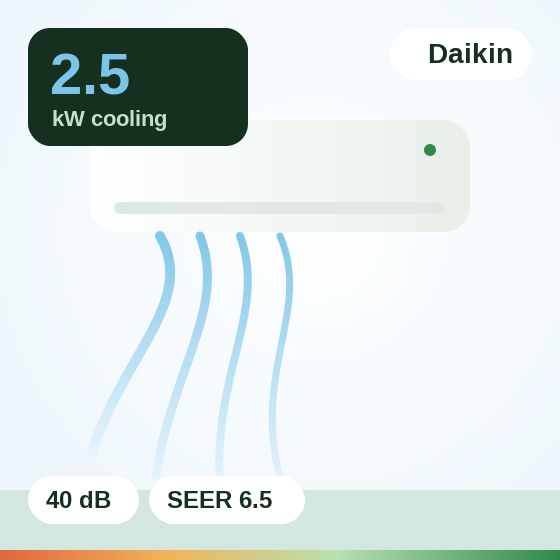
Daikin
Sensira FTXF25F5V1B (indoor) with RXF25F5V1B (outdoor), 2.5 kW
2.5 kW cooling · 40 dB · SEER 6.5
No current UK price found
Figures from the maker or retailer listing. Cost an hour is our own, at the price cap of 26.32p a kWh.